Cricut Explore 5 is out now, and many crafters are talking about it. It is smaller in size and comes with several new features, and it is the successor to the Cricut Explore 4. However, many users may still be unsure whether they should buy this new Cricut machine. This guide provides all the necessary information about the Explore 5, including its features, price, and pros and cons, so you can decide whether it’s worth it for you.
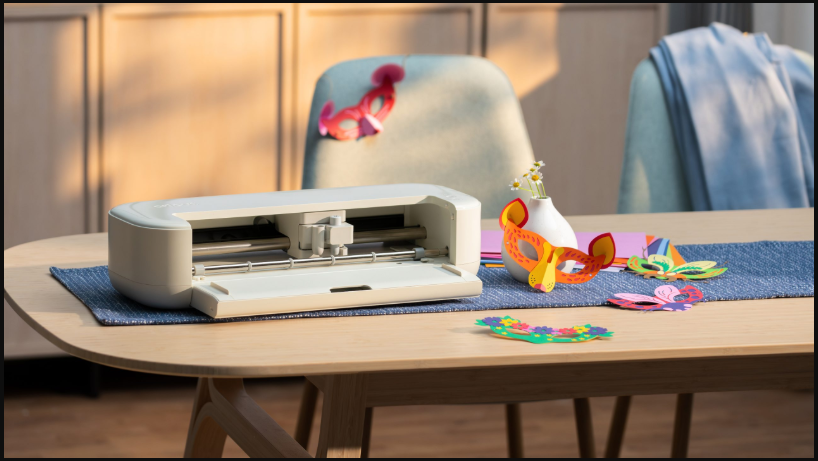
Cricut Explore 5: Overview
It is a DIY cutting machine that can cut many materials such as paper, vinyl, and foam. It is an upgraded version of the Explore 4, and it is smaller and cuts faster with greater cutting force. Hence, if you’re thinking about buying one, let’s see whether it’s worth it for you.
Main Features of Cricut Explore 5
It is a modern cutting machine with several useful features. Many of its features are similar to those of its predecessor, with slight changes. Here are the top features I liked about this machine.
Compact Design
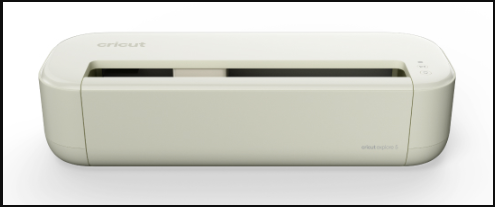
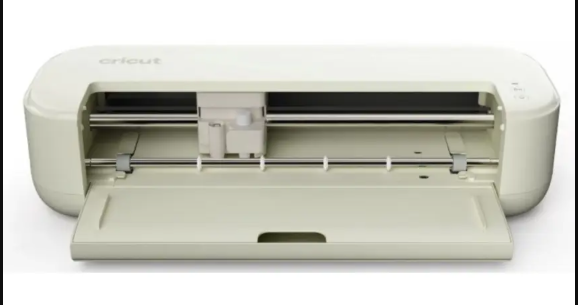
The Explore 5 is a 12-inch new-generation DIY cutting machine with a modern design and a smaller size. This updated machine is 30% more compact than previous versions. Hence, it takes up less space, and its aesthetic look also makes your workspace more appealing. Plus, its new taupe color also adds to its visual appeal.
Cuts 100+ Materials
This new Cricut machine is not only visually appealing but also capable of cutting over 100 materials. These materials include iron-on, cardstock, vinyl, and printable materials. This machine can write, score, cut, and foil using compatible tools. So if you often make DIY crafts, Cricut Explore 5 lets you be creative.
Print Then Cut Feature
The Print Then Cut feature allows precise cutting for full-color printed images, stickers, and decals. The machine works by printing registration marks with a home printer. It allows your machine to cut material aligned with these marks and support printable vinyl materials.
6-Tool Support
The new Cricut machine works with six tools, including tools for cutting thicker materials such as foam and leather. Plus, it includes a snap-in pen holder. This system allows you to write, cut, score, and foil, creating versatile projects and improving performance.
Works With Smart Materials
The Explore 5 is compatible with smart materials and can perform matless cutting on materials up to 12 feet long. Therefore, you don’t need a mat when using Smart Materials; instead, you can feed it directly into your machine for iron-on, paper, and vinyl projects.
What Can You Make With Cricut Explore 5?
You can create many projects using materials like vinyl, cardstock, and iron-on materials. Here are the items you can create with the machine:
- Full-color stickers
- Decals for walls and cars
- Greeting cards for different occasions
- Personalized T-shirts and other apparel
- Custom stencils for signs
- Home decor items
Pros and Cons
The Cricut Explore 5 offers several useful upgrades. However, it does have a few drawbacks. For instance, the updates aren’t very different from those on previous models, and people using an Cricut Explore 4 should think twice before buying it. Here is a breakdown of the most common pros and cons of this new machine.
Pros:
- The new Cricut machine is smaller and more compact. Hence, it’s ideal for small spaces and beginners.
- It can load the mat automatically, eliminating the need to hit the Start button.
- It operates faster than the Explore 4, which makes it an ideal choice for busy crafters.
- Bluetooth connection is more stable with BLE technology, allowing your machine to connect directly to your device.
- The Print Then Cut feature allows you to create full-color stickers and decals.
Cons:
- The updated pen system needs new pens. It means you can’t use older Cricut pens with this model.
- This machine uses a single-clamp system, unlike older models with two clamps.
- The top of the machine has a gap that may trap dust and dirt.
- It’s not suitable for heavy-duty cutting with wood and other thicker materials.
Pricing of Cricut Explore 5
This new machine starts at around $199. However, if you buy it with the essential bundles, it will cost you more. Here is a breakdown of its pricing.
- Machine + Essentials Bundle – $249
- Machine + Ultimate Plus Bundle – $319
- Machine + Ultimate Plus Bundle + Subscription – $349
Why Choose Cricut Explore 5?
It is a great choice for crafters and DIYers who want a faster, quieter, and more compact Cricut cutting machine. Its 12-inch cutting width and ability to cut over 100 materials make it suitable for beginners and those looking to upgrade from older models. The compact size, automatic loading feature, and precise cutting make this machine an ideal option for those seeking speed.
Frequently Asked Questions (FAQs)
Who Should Buy the Cricut Explore 5?
This Cricut machine is ideal for beginners with a small space who want to upgrade from older models. Plus, it’s a smart choice for users wanting to create versatile projects using paper, vinyl, and iron-on projects.
Is Cricut Explore 5 Better than Explore 4?
Yes, the latest Explore 5 is better than the Cricut Explore 4 for its 30% more compact size and modern design. Plus, its Print Then Cut feature lets you create multiple stickers and decals more quickly. It is an updated version of the Cricut Explore 4 with design improvements.